
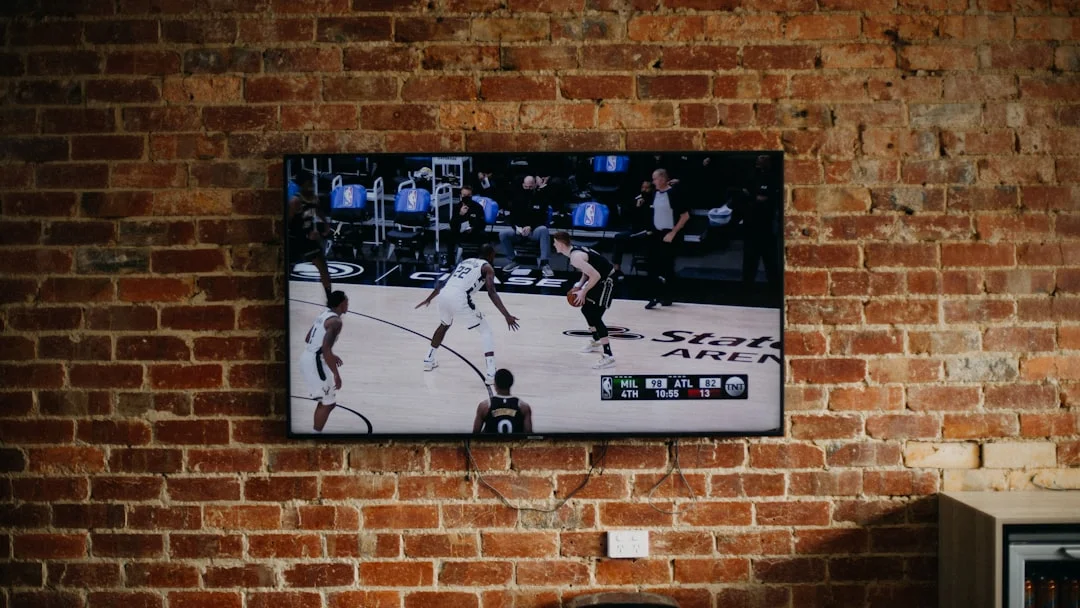
Welcome! This guide is here to help you. Do you have problems with your IPTV? Does it buffer or stop? This article will show you how to make IPTV faster and more stable. We will give you simple steps to follow. You can fix common issues and enjoy your shows. Let’s get started!
📺 What You Will Learn:
- How to check your internet speed for IPTV.
- Simple settings to change in your IPTV app.
- Ways to make your connection more stable.
- How to fix buffering for good.
Why Your IPTV Might Be Slow
First, you need to know why IPTV buffers. The main reason is often your internet. IPTV needs a fast and steady stream of data. If your internet is slow or unstable, the video will buffer. Other reasons can be your device, your IPTV app, or even your Wi-Fi router. We will look at each one.
Check Your Internet Connection
This is the first step. You need good internet for IPTV.
- Go to a website like speedtest.net on your device.
- Run the speed test. Write down the download speed.
- For HD IPTV, you need at least 15 Mbps. For 4K, you need 25 Mbps or more.
If your speed is lower, try these steps:
- Restart your router and modem. Unplug them for 30 seconds and plug them back in.
- Move closer to your Wi-Fi router.
- Use a wired Ethernet cable instead of Wi-Fi. This is the best way for a stable connection.
Optimize Your IPTV App Settings
Your IPTV app has settings that can help. Here is what to change in most apps like IPTV Smarters Pro or TiviMate.
- Open your IPTV app.
- Go to Settings or Options.
- Look for Player Settings or Playback.
- Change the Video Player type. Try “HW” or “Hardware” decoder. This uses your device’s power better.
- Find the Buffer Size setting. Increase it a little. This makes the app store more video ahead of time.
- Save your settings and restart the app.
💡 Pro Tip: Use a VPN
Sometimes, your Internet Provider (ISP) slows down IPTV streams. This is called throttling. A good VPN can hide your IPTV traffic from your ISP. This often makes your stream faster and more stable. Choose a VPN with fast servers.
Step-by-Step Guide to Fix Buffering Issues
Follow these steps in order. They will help you make IPTV faster.
Step 1: Use the Right Device
Old phones or TV boxes can be slow. For the best IPTV experience, use a good device. We recommend:
- Amazon Fire TV Stick (4K or Max)
- NVIDIA Shield TV
- A modern Android TV
Make sure your device is not full. Delete apps you don’t use. This gives IPTV more memory to work.
Step 2: Improve Your Home Network
Your home network is key. Here is how to make it better for IPTV:
- Use an Ethernet Cable: Connect your TV box or device directly to the router with a cable. This gives you the most stable speed.
- Upgrade Your Router: If your router is old, buy a new one. Look for a router that supports “QoS” (Quality of Service). You can set QoS to prioritize your IPTV device.
- Reduce Wi-Fi Interference: Keep your router away from microwaves, cordless phones, and metal objects.
Step 3: Choose the Right IPTV Service
Not all IPTV services are the same. A bad service will always buffer, even with perfect internet. A good service has strong servers and good support. Look for services with many positive reviews.
Step 4: Clear Cache and Restart
Sometimes, the app’s temporary files (cache) get too big. This can slow it down.
- Go to your device’s Settings.
- Find Apps and select your IPTV app.
- Click on Clear Cache. Do not click “Clear Data” as this will delete your login.
- Restart your device completely.
Advanced Tips for a Stable Stream
If you still have problems, try these advanced tips.
Change the DNS Server
Your DNS helps your device find the IPTV server. A faster DNS can speed things up.
- Go to your network settings on your device or router.
- Find the DNS settings.
- Change the DNS to 1.1.1.1 (Cloudflare) or 8.8.8.8 (Google).
- Save and restart your connection.
Reduce the Video Quality
If your internet is not very fast, try a lower quality. In your IPTV app, find the channel list or settings. Look for an option to change from “1080p” or “4K” to “720p”. This uses less internet and buffers less.
Ready for the best IPTV experience?
The official app for a smooth and stable IPTV journey.
Conclusion: Enjoy Smooth Streaming
Making IPTV faster and more stable is easy when you know how. Start with your internet. Use a cable if you can. Then, check your app settings and device. Follow the steps in this guide. You will see less buffering and more fun. Happy watching!
✅ Quick Checklist
- ✔️ Test your internet speed (15+ Mbps for HD).
- ✔️ Connect with an Ethernet cable.
- ✔️ Use Hardware decoder in your app.
- ✔️ Clear your app’s cache regularly.
- ✔️ Consider a good VPN and a reliable IPTV service.
