
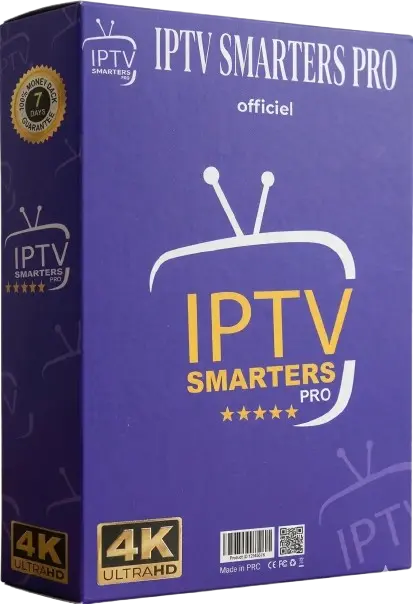
Your Complete 12-Month IPTV Plan for Firestick
100% Secure · SSL Encrypted · Instant Activation
Plan Details
Kids: Delight them with a variety of cartoons and educational shows.
Comprehensive Channel Lineup with Family-Focused Content
Our IPTV service is designed to unite families through entertainment. With channels covering various interests like sports, news, and kid-friendly programming, there’s always something to watch.
Ensuring Children’s Safety with Parental Controls
Our service prioritizes your children’s safety with robust parental controls. Manage what can be accessed using PIN codes and channel restrictions, giving you peace of mind.
📺 Compatible Across Multiple Devices
Access your favorite shows not just on TV but on various devices. Enjoy seamless viewing on Smart TVs, Android and iOS devices, tablets, and especially on your Amazon Firestick.
🌐 Global Channels At Your Fingertips
Stay connected to global entertainment with our international channel packages. Experience sports, news, and series from your homeland, no matter where you are.
Set Up Your Firestick with Ease
Get started quickly with our straightforward setup guide. You’ll be enjoying your favorite channels in no time:
Installation Steps
- Access the Home Screen on your Firestick.
- Locate and install the “Downloader” app using the Search function.
- Launch the app and enter the provided code in the URL field.
- Download and Install the IPTV app once prompted.
- Open the app and enter your credentials received via email.
- Enjoy watching as your channel list populates.
Need assistance? Our 24/7 support is ready to help at any step.
Around-the-Clock Customer Support
Our customer service is available 24/7 to help with any inquiries. Reach out via live chat or email for support with setup or troubleshooting.
Flexible Subscription Options
Choose an IPTV plan that suits your family’s needs without worrying about hidden fees.
| Subscription Duration | Cost | Ideal For |
|---|---|---|
| 1 Month | $9.99 | Trial Use |
| 3 Months | $29.99 | Short-term Viewing |
| 6 Months | $39.99 | Value Seekers |
| 12 Months (BEST DEAL) | $49.99 | TV Enthusiasts |
Extended Plans for More Devices
Access more screens with our multi-device packages:
- 2 Devices (12 Months): $99.99
- 3 Devices (12 Months): $149.99
- 5 Devices (12 Months): $239.99
🔒 Dependable Streaming Service
Stream securely with advanced protection for your data. Our stable servers ensure a seamless experience with minimal buffering.
Compatible with Your Favorite Gadgets
Enjoy our IPTV service on a variety of devices, including:
Android Devices
iOS Devices
Smart TVs
PC
Join Our Community of Satisfied Viewers
Thousands of households have chosen us for their home entertainment needs, appreciating our extensive selection, affordable pricing, and the ease of setting up with Firestick.
👉 Secure Your 12-Month IPTV Plan Now
Start your adventure today, risk-free with our 30-day money-back guarantee.
Firestick Optimization: Settings That Transform Your Streaming Quality
The Amazon Firestick 4K Max is one of the most popular streaming devices for IPTV, but out of the box it is not configured for optimal live television performance. Several hidden adjustments make a measurable difference. Start by enabling Developer Options—navigate to Settings, then My Fire TV, then click on the Fire TV tile seven times to unlock the Developer menu. From there, enable USB Debugging and Apps from Unknown Sources, which allows sideloading your preferred IPTV player beyond the Amazon Appstore restrictions.
Next, address the network layer. The Firestick 4K Max supports Wi-Fi 6, but its internal antenna benefits from specific router placement. If you are on 5GHz, ensure the Firestick is within line-of-sight of your router, or better yet, use an Ethernet adapter via the USB-C port for a wired connection that eliminates wireless variability. Within the Firestick’s Display and Sound settings, match the resolution to your television’s native panel—forcing 4K output on a 1080p screen wastes processing cycles and can introduce buffering. Also disable Match Original Frame Rate if you notice stuttering during channel changes, as the repeated HDMI handshake delays add latency during live zapping. Finally, clear the IPTV app cache weekly through Settings > Applications, and consider disabling automatic updates for the player app during major sporting events to avoid unexpected restarts mid-match.
Works on Every Device
Common Questions
How fast is activation?
Your plan is activated within minutes of payment — no waiting.
Can I use multiple devices?
Yes! Stream on 1 or more screens depending on your plan.
What payment methods?
Credit cards, PayPal, and crypto accepted.
Is there a free trial?
Message us on WhatsApp to request a 24-hour test line.