
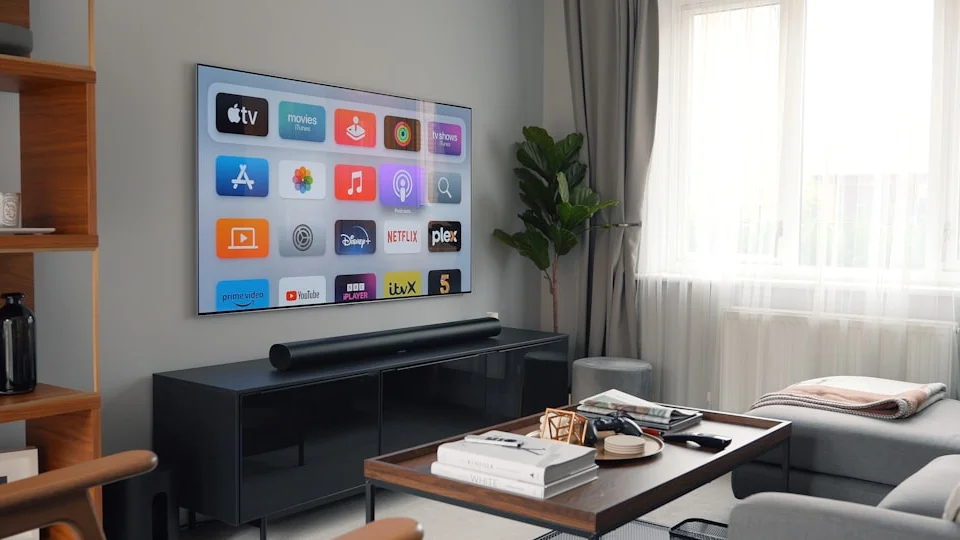
Are your IPTV channels buffering or freezing? The problem is often your internet settings. This guide will show you the best internet settings for smooth IPTV streaming in 2026. Follow these simple steps to fix your connection and enjoy your shows.
📺 What You Will Learn:
- How to check your internet speed for IPTV.
- The best way to connect your device (Wi-Fi or cable?).
- Important router settings to change.
- How to fix common streaming problems.
Why Your Internet Connection Matters for IPTV
IPTV sends live TV and video over the internet. If your connection is slow or unstable, your stream will buffer. A good setup gives you clear picture and no interruptions. Let’s make your internet perfect for streaming.
Step 1: Check Your Internet Speed
First, you need to know your speed. IPTV needs a stable connection.
How to Test Your Speed
Go to a website like speedtest.net on a computer or phone connected to the same network as your IPTV device.
- Click “Go” or “Start Test”.
- Wait for the results.
What Speed Do You Need?
| Stream Quality | Minimum Speed | Recommended Speed (2026) |
|---|---|---|
| SD (Standard Definition) | 3 Mbps | 5 Mbps |
| HD (High Definition) | 8 Mbps | 15 Mbps |
| 4K / UHD (Ultra HD) | 25 Mbps | 40+ Mbps |
Tip: If your speed is lower than recommended, contact your internet provider or try the fixes below.
Step 2: Choose the Best Connection Type
How you connect your device to the internet is very important.
Option A: Use an Ethernet Cable (BEST)
A physical cable gives the most stable and fastest connection.
- Connect one end of the cable to your router.
- Connect the other end to your IPTV device (like a box, stick, or smart TV).
- This reduces interference and lag.
Option B: Use Wi-Fi (If You Must)
If you cannot use a cable, optimize your Wi-Fi:
- Place your router in a central location, not in a cupboard.
- Keep the router away from other electronics like microwaves or cordless phones.
- Use the 5 GHz Wi-Fi band if your router supports it. It is faster and less crowded than 2.4 GHz.
Step 3: Optimize Your Router Settings
Your router has settings that can help IPTV. You need to log into your router’s admin page. Check your router’s manual for the address (often 192.168.1.1 or 192.168.0.1).
1. Enable Quality of Service (QoS)
QoS tells your router to give priority to video streaming. Look for “QoS” in your router settings.
- Turn QoS ON.
- Set the priority to “Streaming” or “Video”.
- You can also add your IPTV device’s IP address to the high-priority list.
2. Change Your DNS Server
Sometimes your internet provider’s DNS is slow. Try a public DNS for faster channel loading.
- In your router settings, find “DNS” or “Internet Setup”.
- Change the DNS addresses to:
- Primary: 8.8.8.8 (Google)
- Secondary: 1.1.1.1 (Cloudflare)
- Save the settings and restart your router.
Common IPTV Streaming Errors and Fixes
Problem: Buffering (Loading Circle)
Fix: First, check your internet speed. If it’s good, try these steps:
- Restart your router and IPTV device.
- Reduce the video quality in your IPTV app settings (e.g., from 4K to HD).
- Connect with an Ethernet cable.
Problem: Poor Video Quality (Pixelated)
Fix: This usually means not enough speed.
- Make sure no one else is downloading large files on your network.
- Move closer to your Wi-Fi router.
- Upgrade your internet plan if needed.
Problem: Channels Not Loading
Fix: This could be a DNS or connection issue.
- Change your DNS as shown in Step 3.
- Check if your IPTV subscription is active.
- Clear the cache in your IPTV app.
Tips for the Best IPTV Experience in 2026
- Update Regularly: Keep your IPTV app and device software updated.
- Use a VPN: In some areas, a VPN can prevent ISP throttling (slowing down) of streaming.
- Reboot Weekly: Restart your router once a week to keep it fresh.
- One Stream at a Time: Avoid streaming on many devices at once if your speed is low.
Conclusion: Enjoy Smooth Streaming
The best internet settings for IPTV are simple: good speed, a stable connection (use a cable if you can), and a few smart router changes. By following this 2026 guide, you can say goodbye to buffering and hello to perfect TV. Happy streaming!
Ready for the Ultimate IPTV Experience?
Pair your perfect internet setup with a powerful, reliable IPTV player.
User-friendly, feature-rich, and compatible with all your devices.
